01
Classify
No AI. A local check against thirteen risk categories — no model, no network.
Ask OSA·2026·AI product
A student assistant for a residential campus that answers only from approved institutional documents — with the source attached, and a refusal when there is nothing to answer from.
The story
Students far from home ask the same practical questions every semester, at every hour, to a small team. I designed and built an assistant that answers them from documents staff have approved — and that stops rather than guesses. What it refuses to do is the product.
My contributions
No source, no answer
The chain never reaches the model
13 categories
Checked locally, before any AI
Two databases
The chat cannot reach student records
Chapter 01
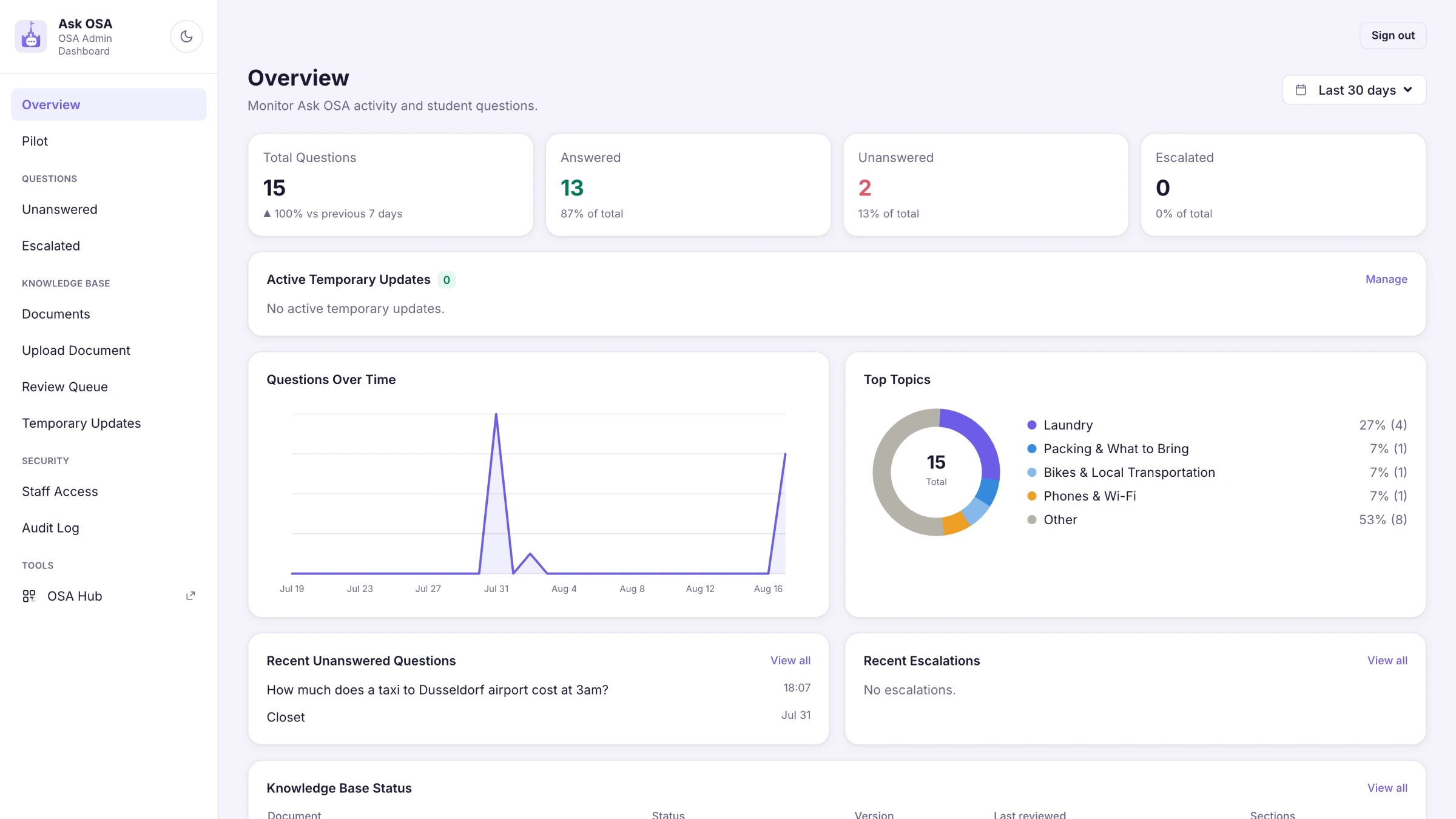
A student side on a phone and a staff side on a laptop, in two separate database projects. Staff decide what the assistant may know; the assistant answers only from that.
Chapter 02
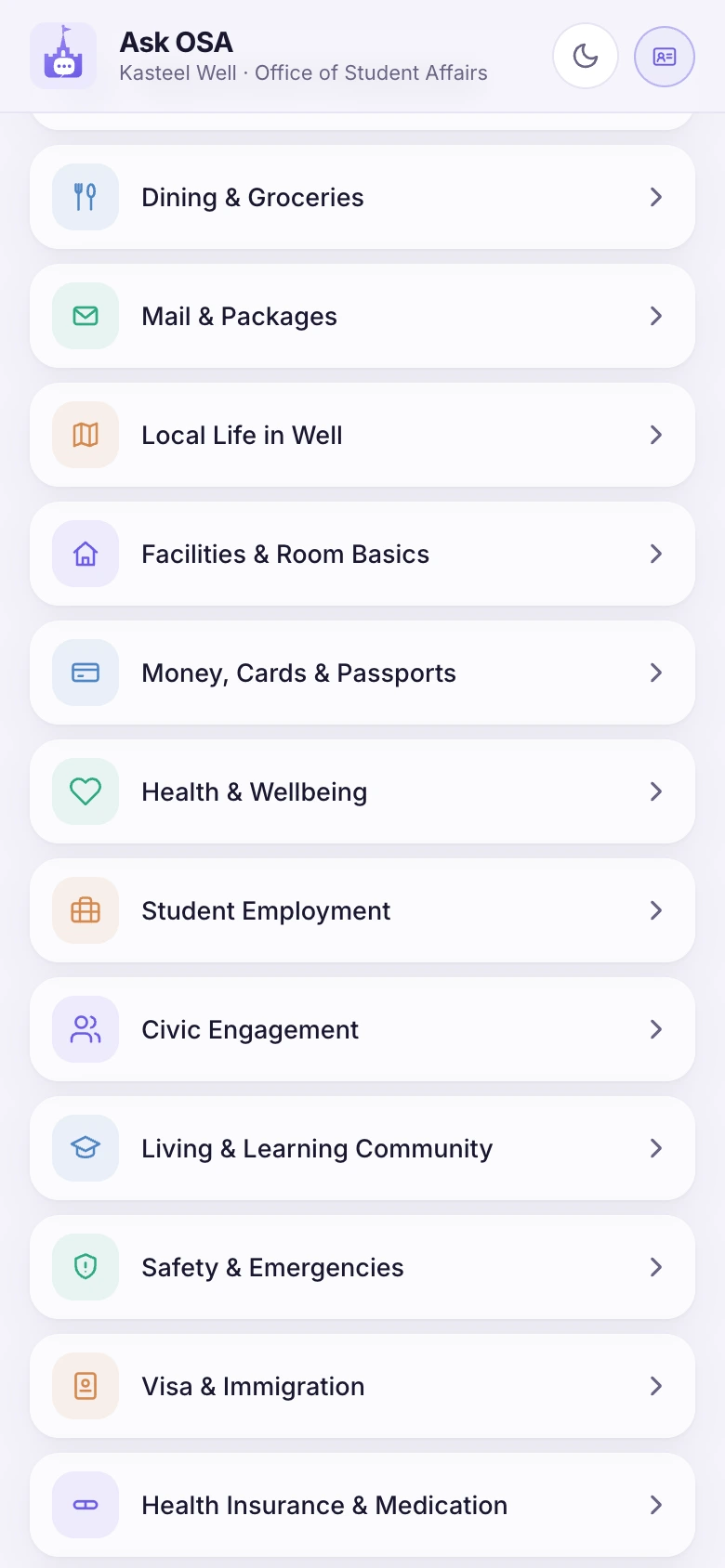
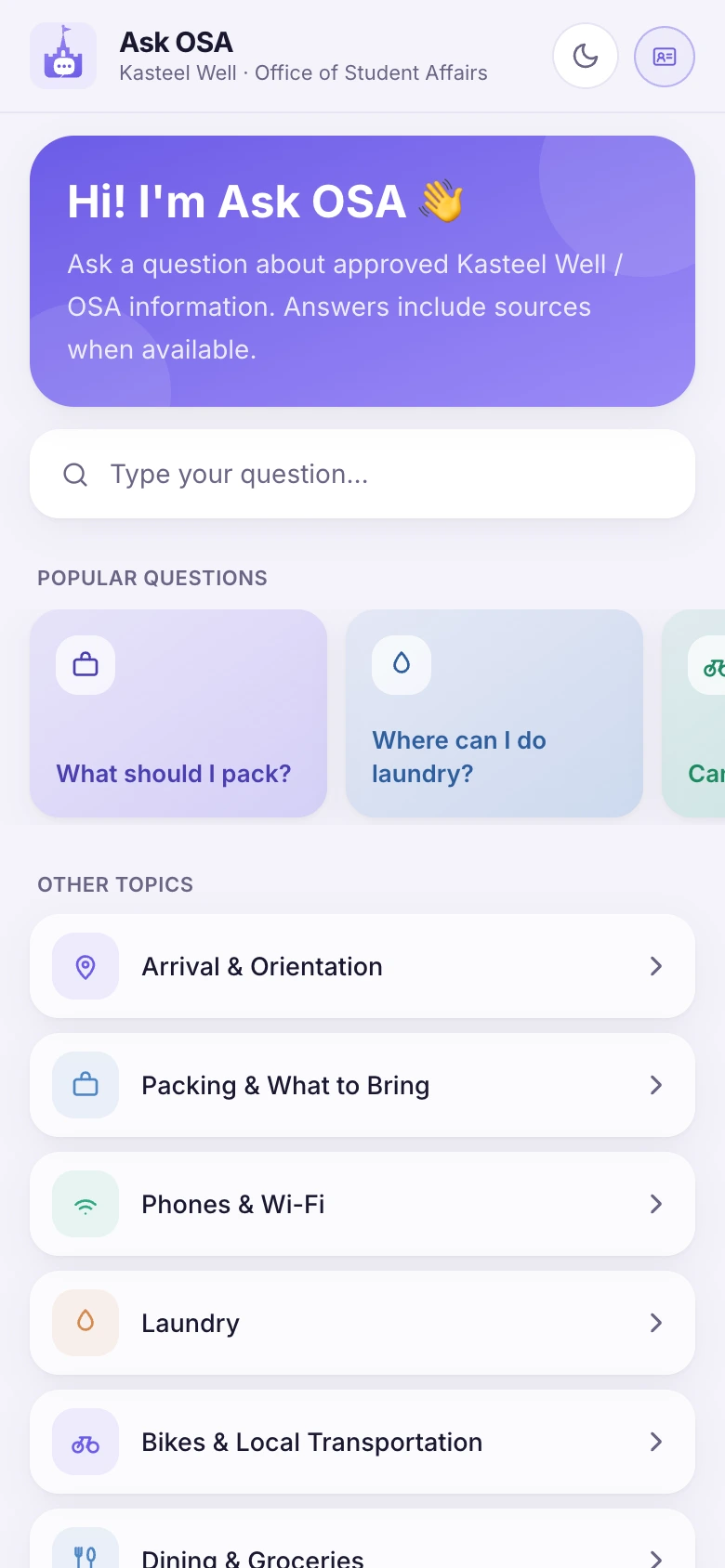
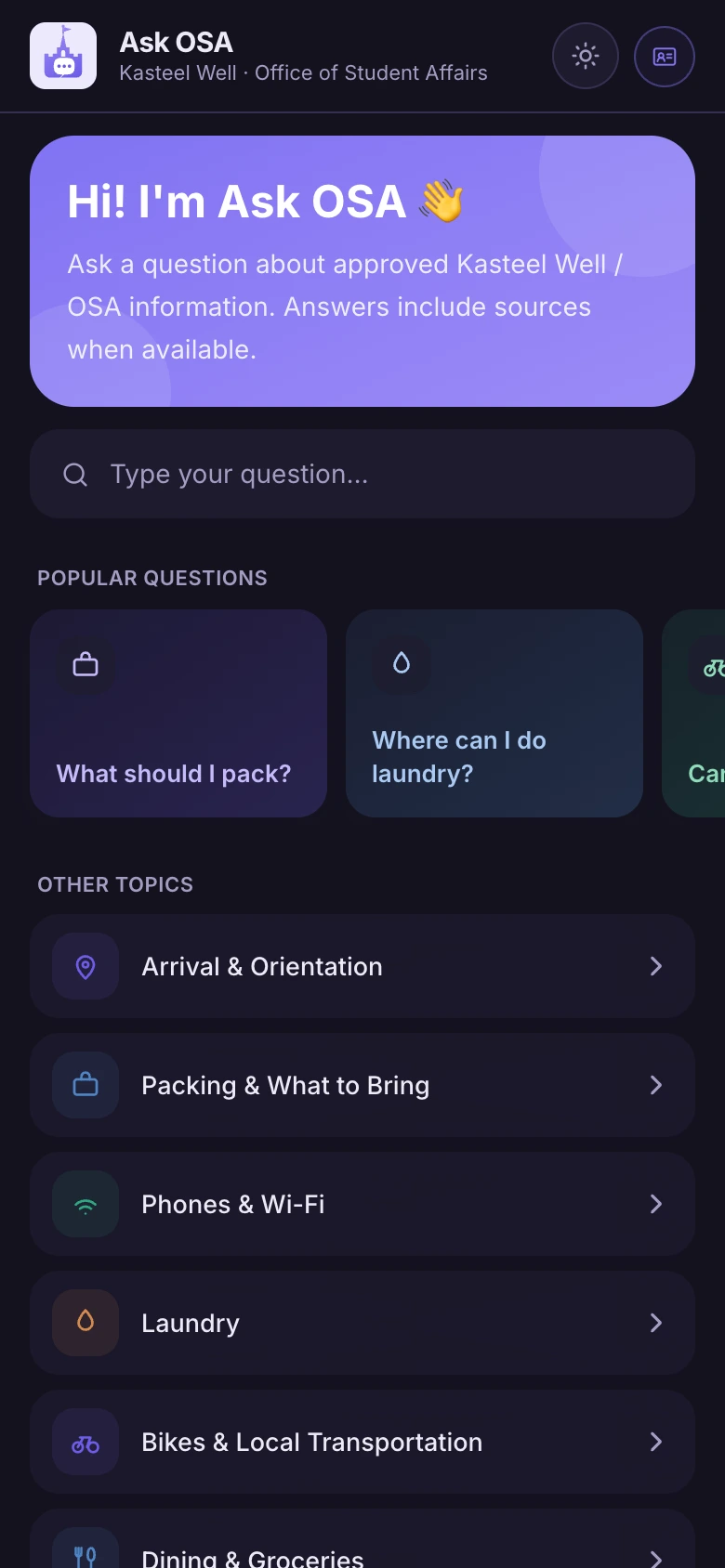
So the most-asked questions sit on top as cards, with twenty-one topics under them. And at the foot of every single screen, the same line — this chat is not read around the clock and is not for emergencies.
Chapter 03
Every question runs the same chain, in this order. The first two steps use no AI at all — and that is the whole architecture. A model is only reached once a local rule has decided the question is ordinary.
No AI. A local check against thirteen risk categories — no model, no network.
No AI. A risk category returns emergency information and raises an escalation. The chain stops here.
The question becomes a better search query, using the last few lines for context.
Only approved, active, unexpired fragments, above a similarity threshold.
Written from the found fragments only, with the source attached.
Chapter 04
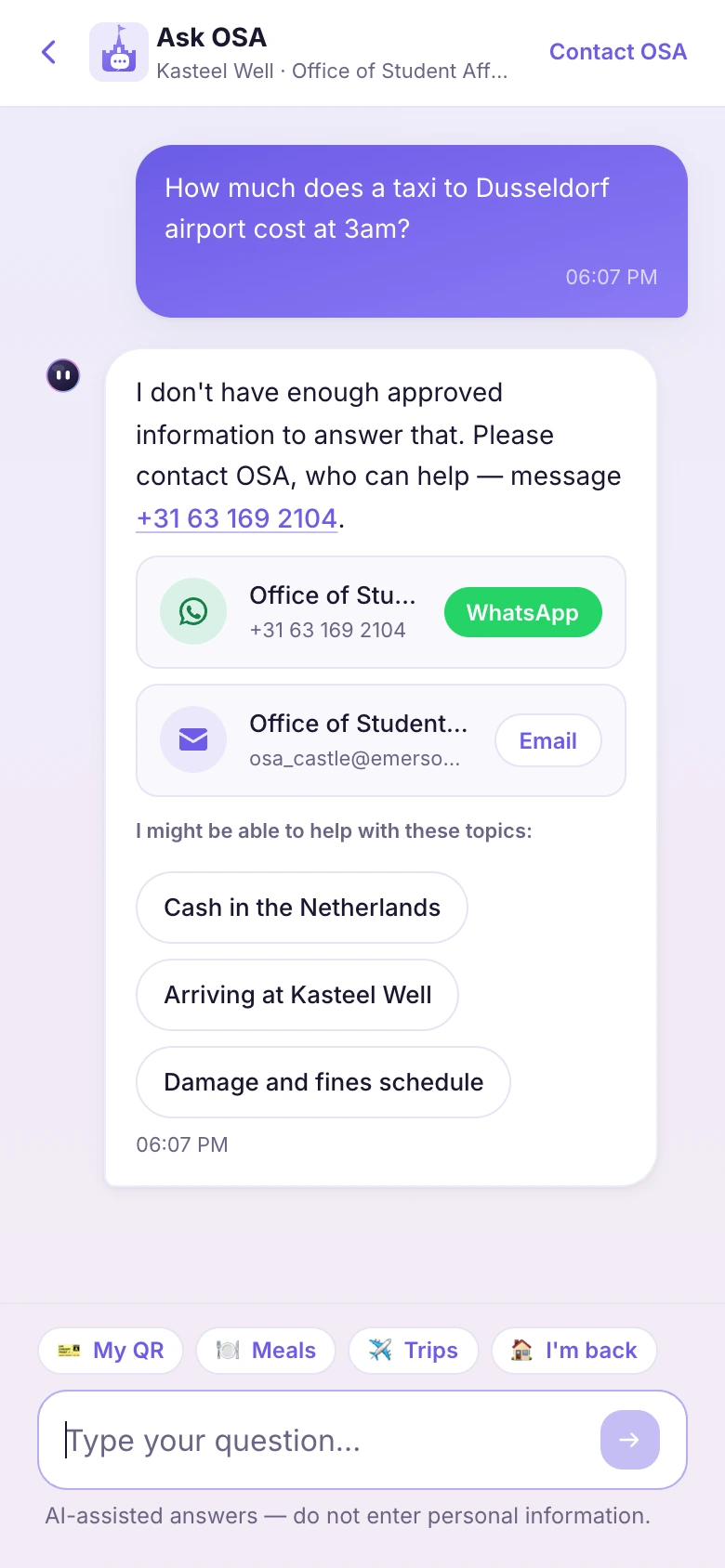
No fragment above the threshold means no answer — and, more to the point, no call to the model at all. The chain simply does not reach it. That is not an instruction the model is asked to follow; it is where the code stops. The student gets a plain admission, the way to reach a person, and the topics it can help with. The question lands on the staff's Unanswered list, where it becomes a document.
Chapter 05
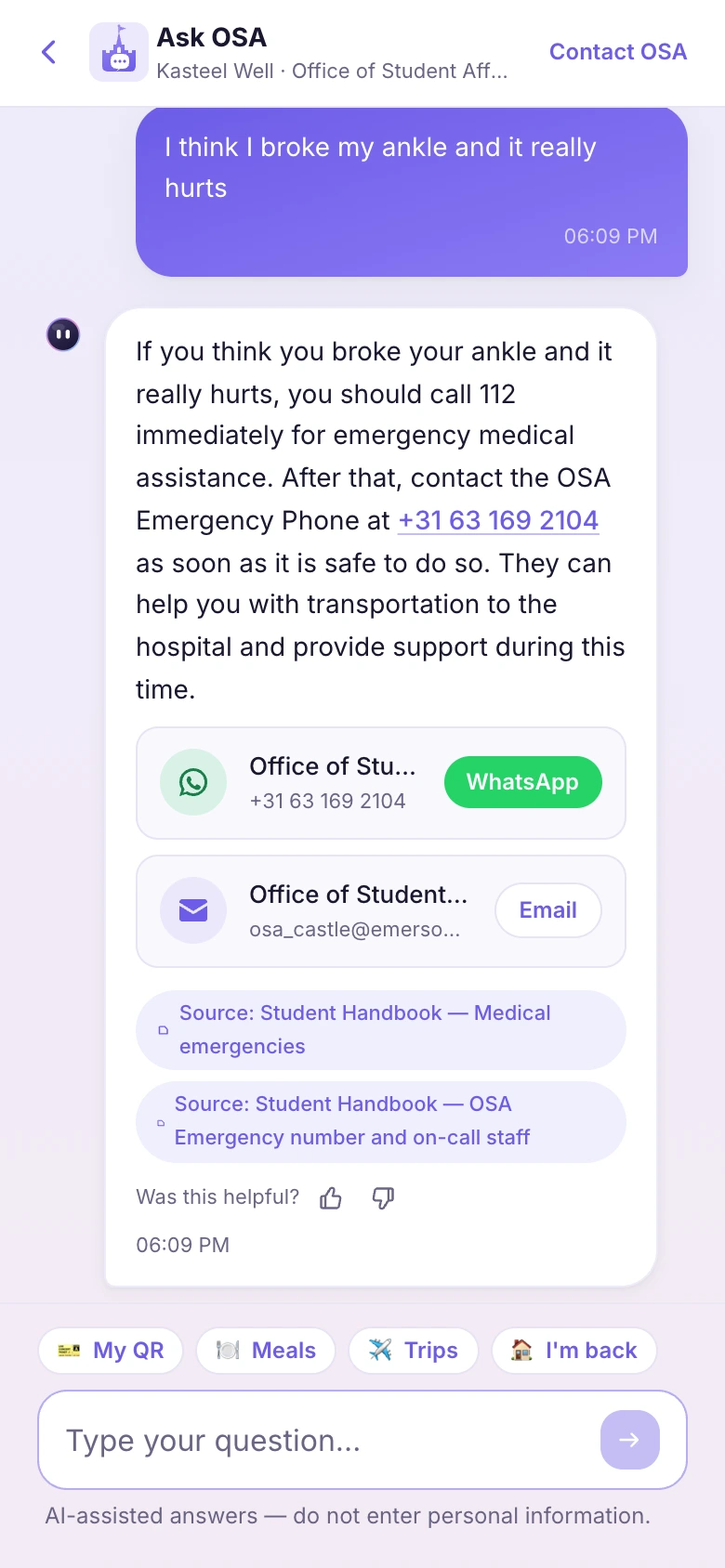
Before anything is looked up, the question passes a local classifier with thirteen categories — self-harm, medical emergency, violence, a missing student, drugs, conduct, passport trouble and more. Everything else is a normal question, and only then may the AI answer. A hit does not produce a careful answer. It produces a phone number and an escalation.
Chapter 06
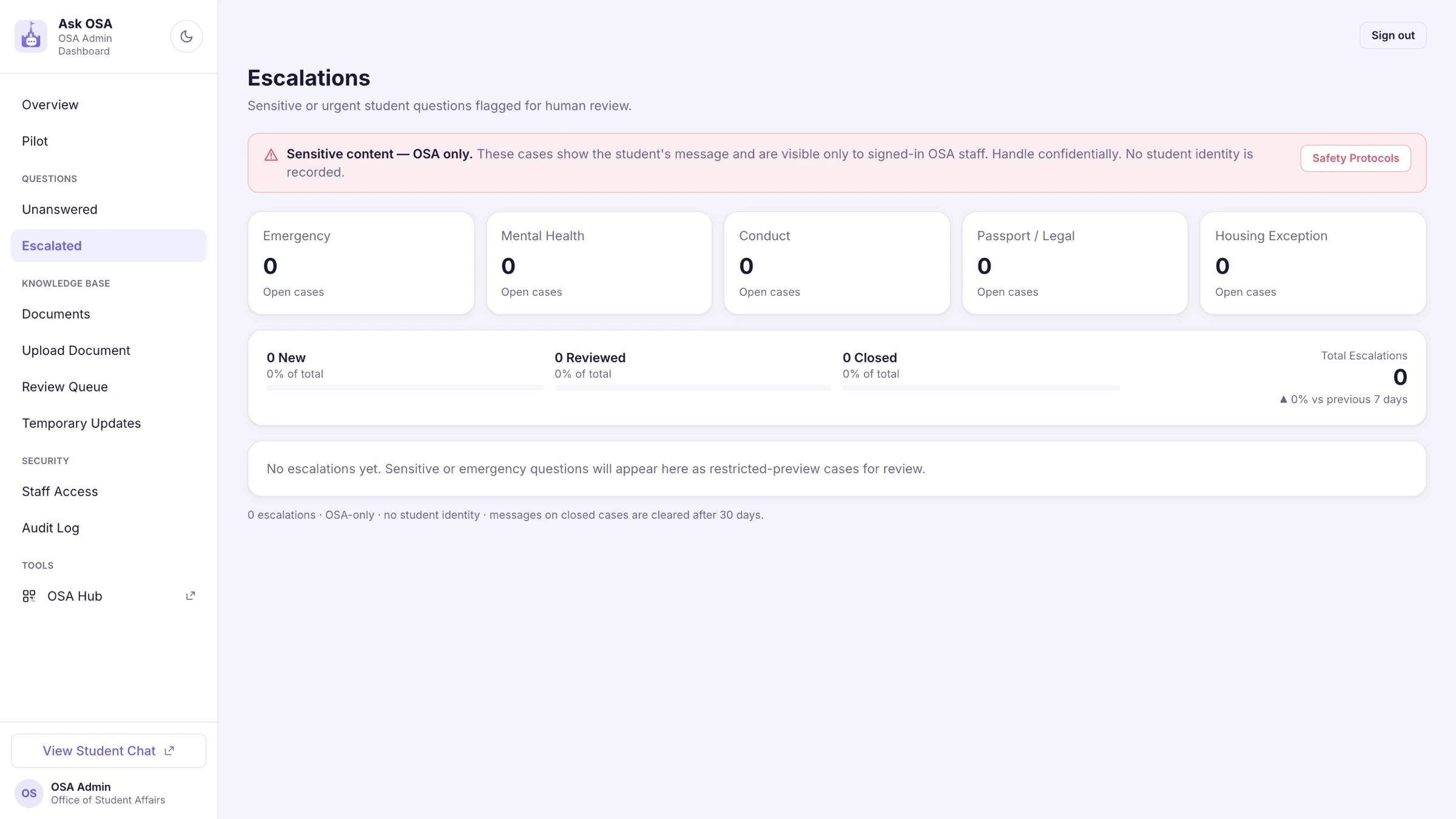
Escalations reach staff as a case with a category and a time. The full text of what the student wrote is not shown by default, and the email that notifies staff contains none of it — only the category and a link. Thirty days after the case closes, the text is wiped; the case stays, for accountability.
Chapter 07
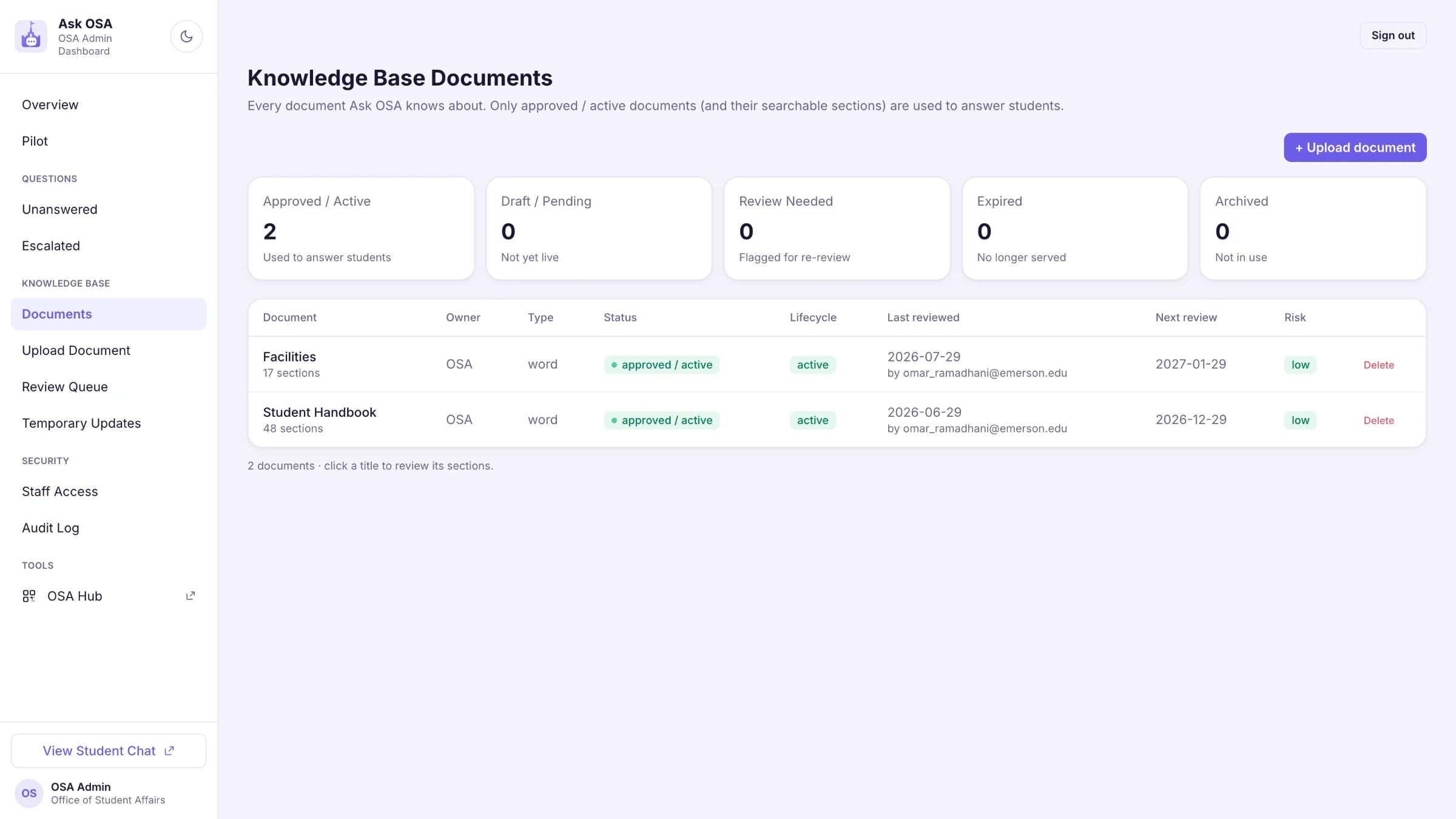
Six states, and only one of them reaches a student. Everything else is a document waiting on a person, or one that has aged out.
Chapter 08
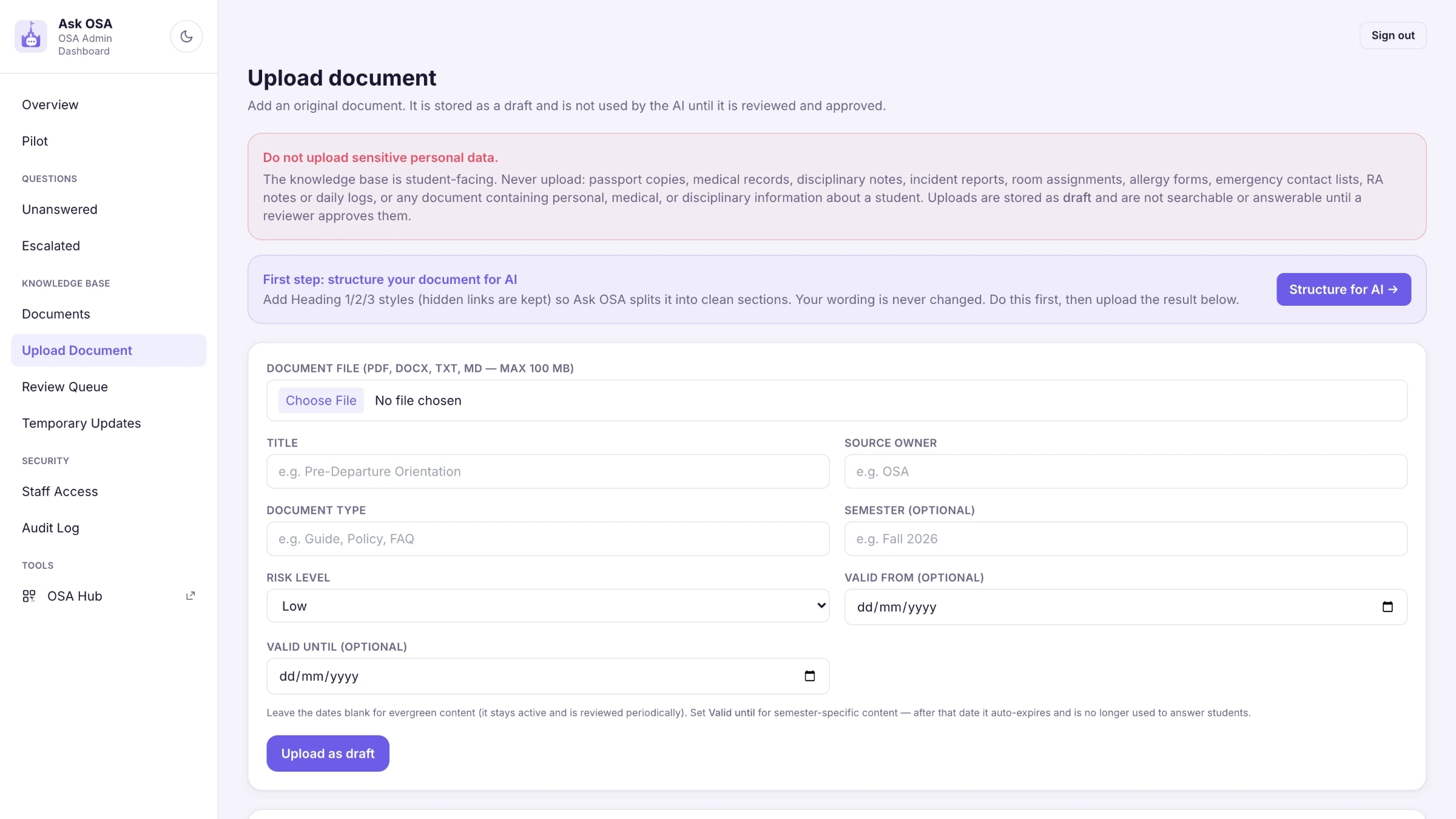
The upload screen names it, in red, above the field. Passport copies, medical records, disciplinary notes, incident reports, room assignments, allergy forms, emergency contact lists, RA notes, daily reports — anything about one student. The knowledge base is about the campus, not about people. Anything about a person belongs in the Hub, or in no system at all.
Chapter 09
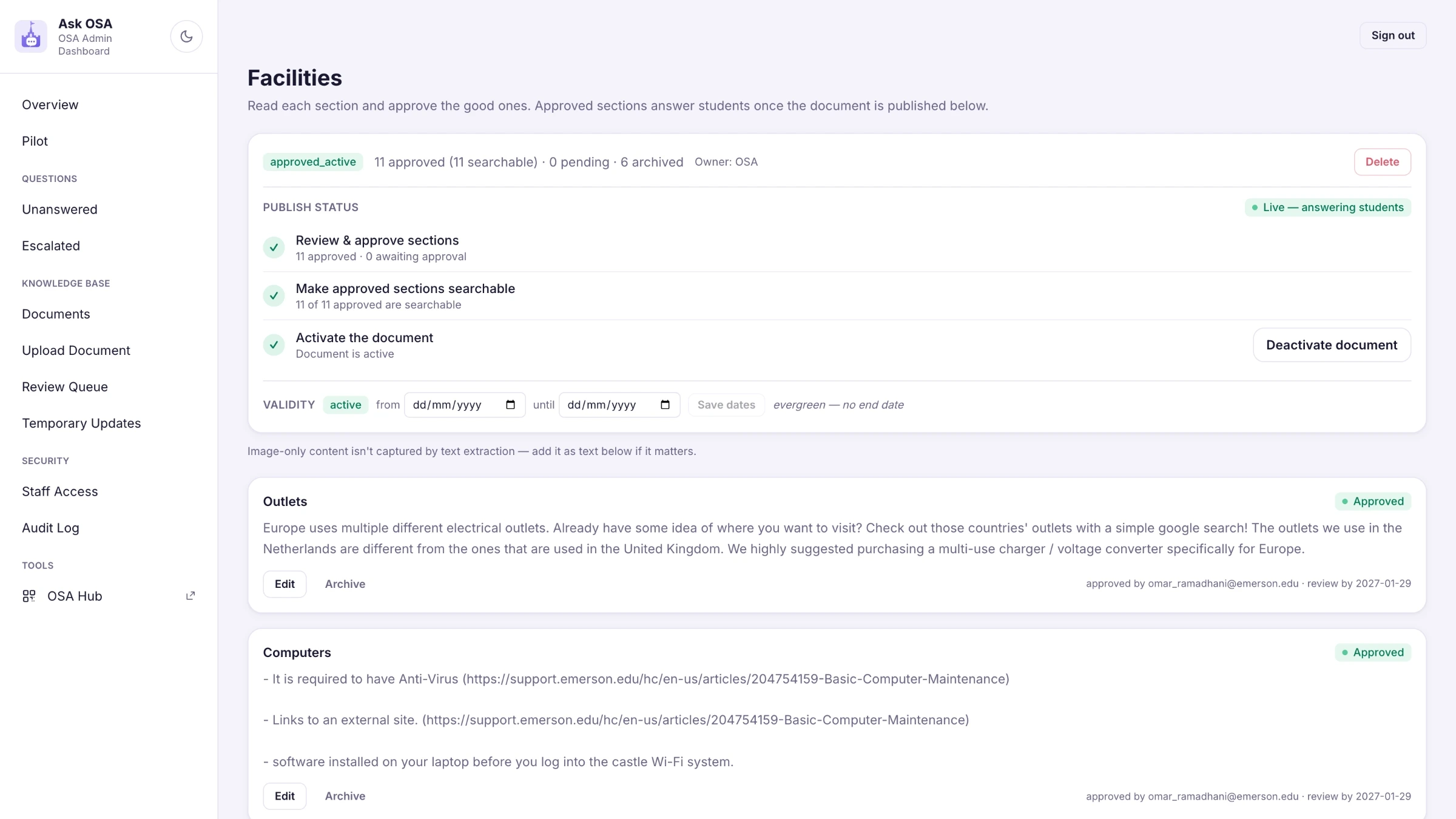
An uploaded file is cut into fragments by subject — images read too, so a floor plan is not lost. Every fragment then passes a person who edits, merges, rejects or approves it. Only on approval does a fragment become findable, with who approved it and when. Change the text later and a trigger drops it back out, so nothing is ever found through a stale copy of a sentence that has since changed.
Chapter 10
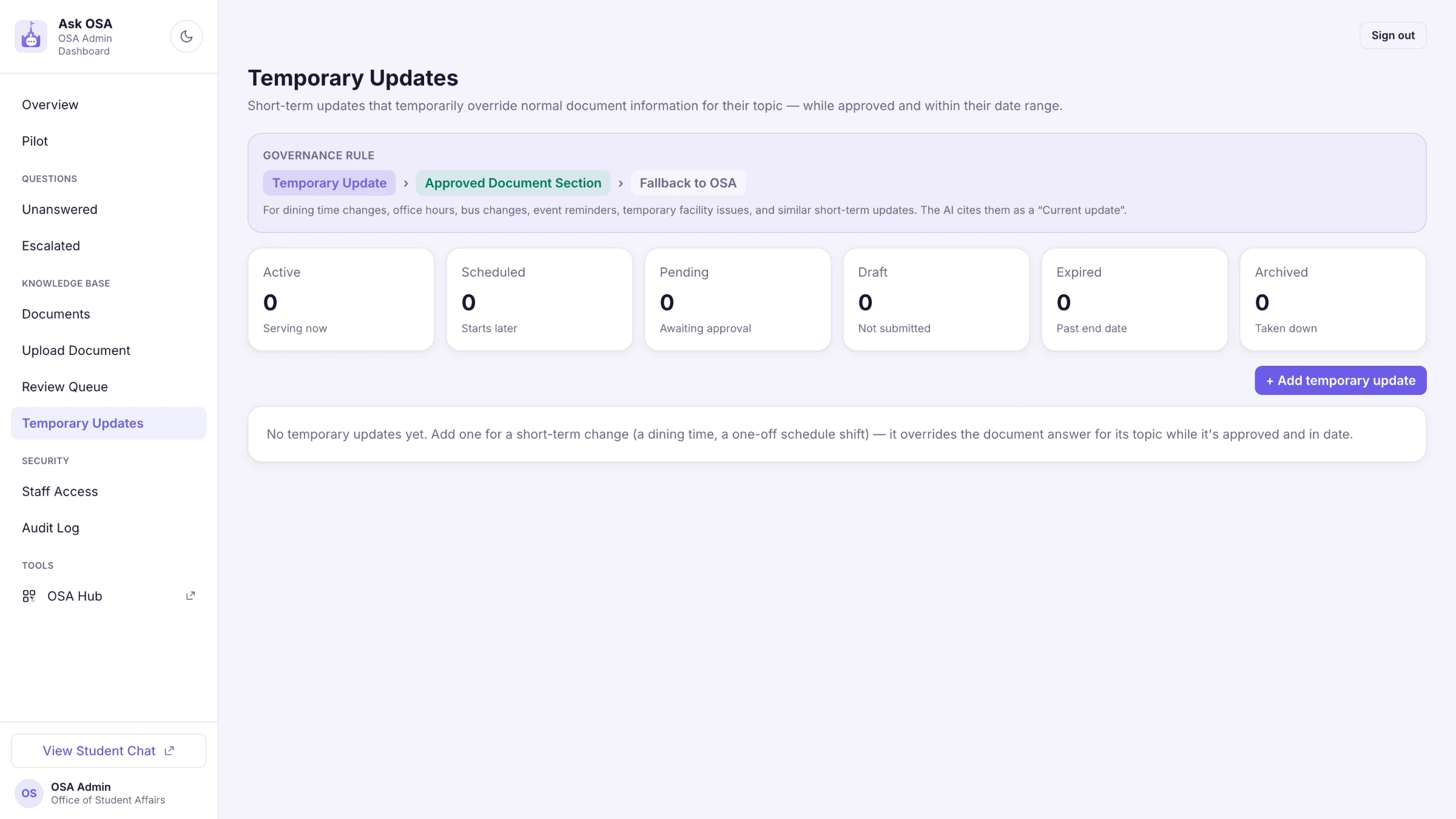
A closed kitchen, a moved bus, a changed office hour. Temporary updates carry an end date, take precedence over the handbook, and are quoted to students as a current update — then expire on their own. That is the difference from a handbook, where a temporary notice stays for months.
Chapter 11
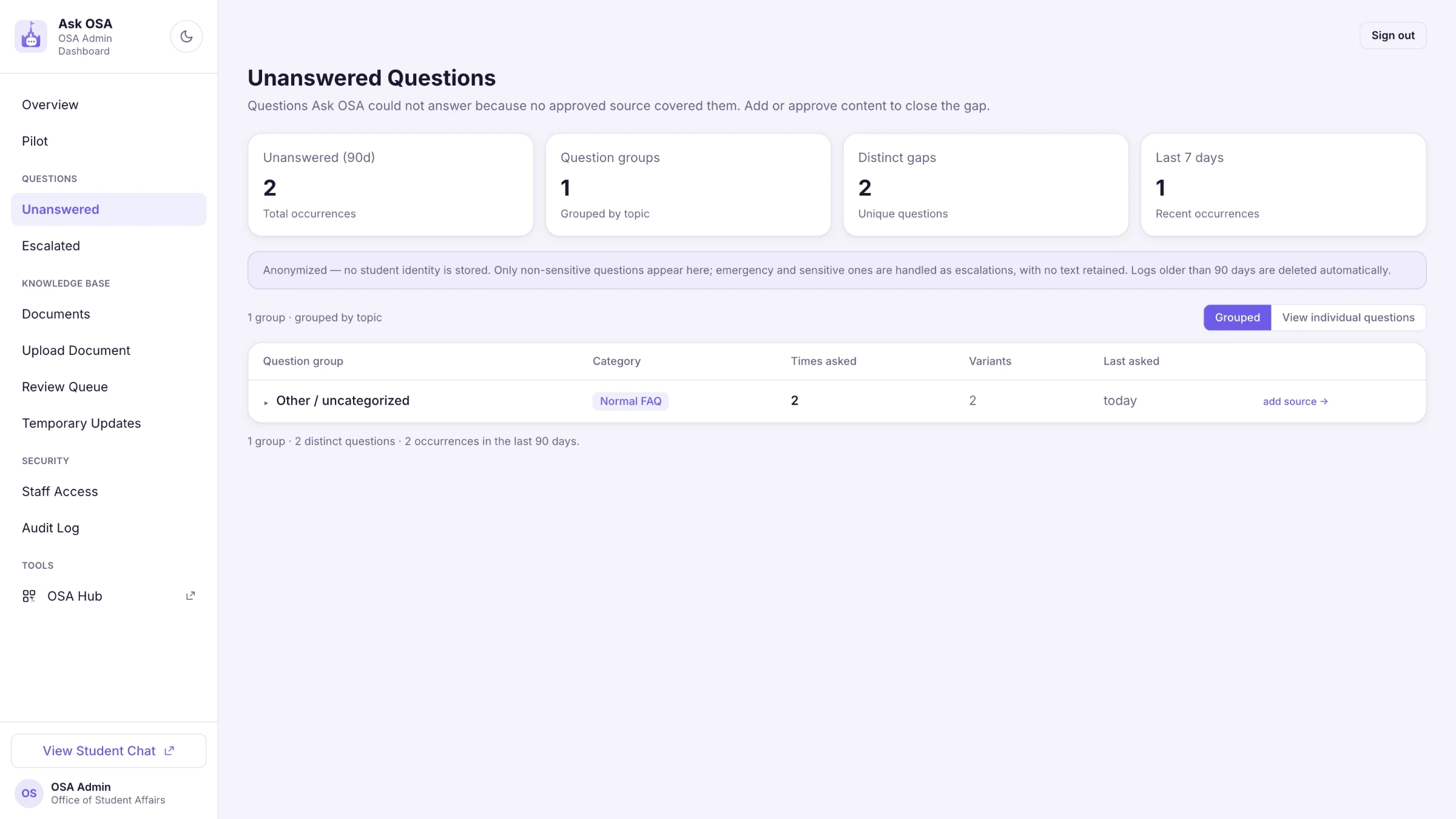
Three questions about the laundry means a document is missing, not that something failed. The list is grouped by topic with a button to add the source, so the gap turns into the next thing to write. It is anonymised, no student identity is stored, and logs older than ninety days delete themselves.
Chapter 12
Four choices, each one cheap early and expensive to retrofit.
Architecture
No retrieved fragments means the code never calls the model. A prompt can be argued with; a missing call cannot.
Safety
Thirteen categories checked locally, with no network. A model that is usually right is the wrong tool for deciding what an emergency is.
Separation
The chat lives in a different database than the Hub. Access to one grants nothing in the other.
Access
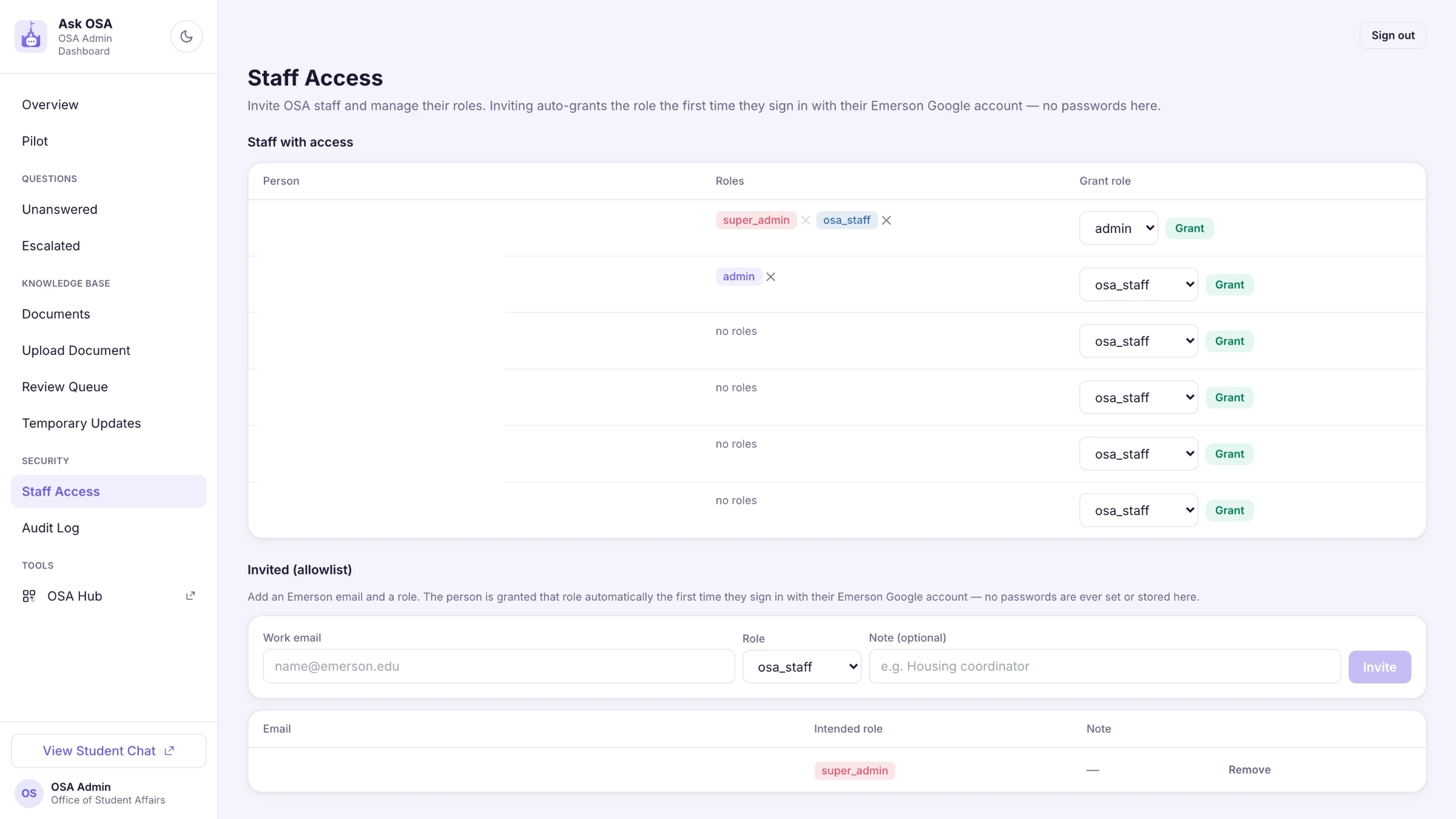
An Emerson account proves identity; a separate allowlist grants access, in three roles.
Chapter 13
Screens first, with no AI at all. Then mocked answers. Then the safety classification. Then the admin, the database, document storage — and only after all of that, the real model. Every phase could be rejected while nothing irreversible existed yet, and the AI arrived last, into rules that were already settled. It is the part of this project I would repeat unchanged.
Reflection
The assistant does not decline because it was told to be careful. It declines because with no approved fragments there is no call to make. Anything softer than that is a rule the system is free to break on a bad day.
The safety check is thirteen local categories, no network, no inference. A model that is right almost always is the wrong instrument for deciding whether someone is in trouble.
Staff need to know that something came in and what kind. They do not need the sentence in their inbox. Working out that difference changed more about the design than any feature did.
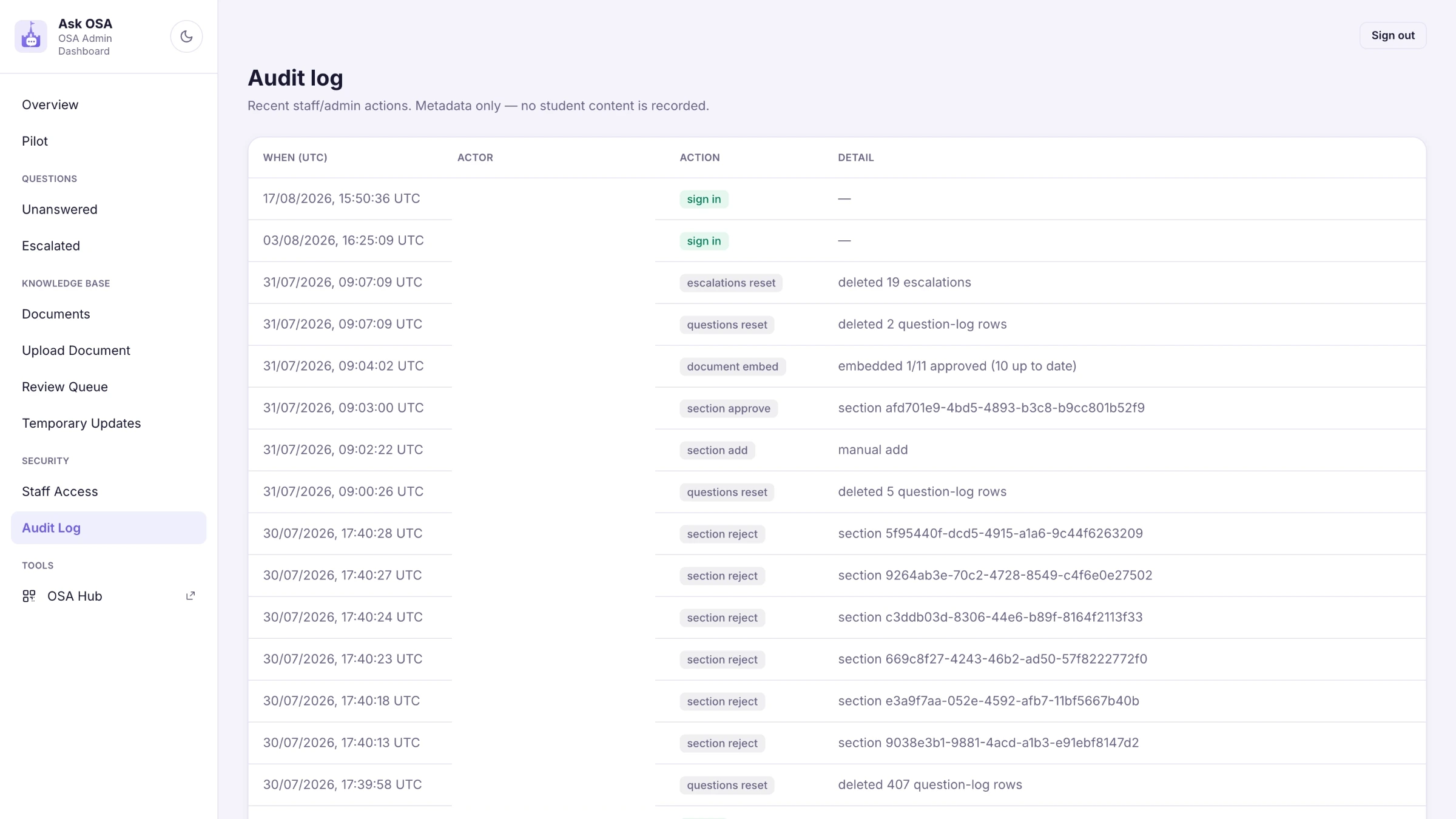
The AI was connected last, deliberately — after the screens, the classification, the approval flow and the audit log already existed. By the time the model arrived there was nothing left to argue about.
For an assistant students reach at one in the morning, "I don't have enough approved information" is a better answer than a confident one that is slightly off. That trade is the whole product.